Is Roblox Safe for 7, 8 or 9 Year Olds?
Your child is asking about Roblox.
Maybe they’ve been talking about it for weeks. Maybe a friend just introduced them to it. Maybe you’ve already said yes and now you’re wondering if you should have.
Whatever’s brought you here – you’re in the right place.
This is a calm, honest look at whether Roblox is appropriate for kids aged 7, 8 and 9. Not a scare piece. Not a glowing review. Just what you actually need to know to make the call for your family.
New to Roblox entirely? Start here first: What Is Roblox? A Simple Parent Guide
First: What Does Roblox Actually Say About Age?
Roblox is officially rated 13+.
But the platform knows that younger kids use it – and it accounts for that. When you create an account using your child’s real birthday, Roblox automatically applies under-13 restrictions. That means tighter chat filters, no direct messaging, and limits on what content is visible.
It’s not a perfect system. But it’s a real one – and it’s worth using correctly.
Age by Age: What to Expect
Kids develop at different rates. But here’s a general sense of where most children sit at each age – and what that means for Roblox.
Is Roblox safe for a 7 year old?
It can be – but 7 is young for it.
Most 7-year-olds can enjoy the simpler games. Obstacle courses, pet simulators, creative building. The gameplay itself is usually fine.
The challenge at this age is judgment. Seven-year-olds generally aren’t ready to navigate chat safely or recognise when something feels off. They also don’t always think to tell you when something weird happens.
If you say yes at 7, treat it as a supervised activity. Sit with them at first. Turn chat off. Play the games together before they play alone.
Is Roblox safe for an 8 year old?
Eight is probably the most common age parents start allowing Roblox.
Kids this age can usually follow basic rules, understand simple online safety concepts, and handle the gaming mechanics without too much confusion. The under-13 restrictions help. A bit of parental oversight helps more.
Regular check-ins are still worth doing. Not hovering – just a casual ‘what have you been playing?’ every now and then.
Is Roblox safe for a 9 year old?
Generally yes – with sensible settings in place.
Most 9-year-olds are ready for Roblox with a reasonable level of independence. Conversations about online safety tend to land better at this age. They’re more likely to tell you if something feels wrong.
Set it up properly, have a quick conversation about expectations, and then let them get on with it. Regular check-ins are still worth doing at this age as well – showing interest in the games they’re playing and talking about will go down really well.
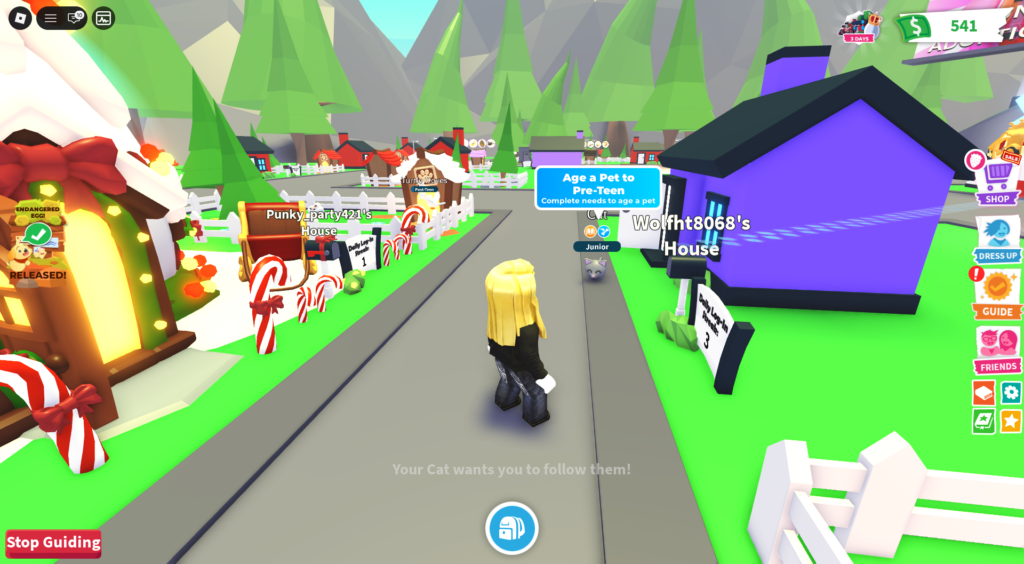
By bathing them, feeding them and taking them to school they level up.
Age Isn’t Everything
You know your child better than any age guide does.
Some 7-year-olds are genuinely ready. Some 9-year-olds aren’t quite there yet. That’s completely normal.
A few questions that might help:
- Do they usually come and tell you when something online feels wrong or uncomfortable?
- Do they understand that not everyone online is who they say they are?
- Can they handle hearing ‘no’ or ‘not yet’ around screens without it becoming a huge thing?
- Do they generally follow the rules you set around devices?
Mostly yes? You’re probably in a good position to give it a go.
What About Chat? (Especially for Australian Families)
Chat is the part most parents are worried about. Here’s what’s actually happening.
Under-13 accounts on Roblox have heavily restricted chat by default. Kids can only use a pre-approved set of words and phrases – they can’t type freely. Private messaging is disabled.
For Australian families, it goes a step further. Under Australia’s online safety laws, Roblox restricts chat access unless users verify they are over 13. So for younger players, the barriers are even higher.
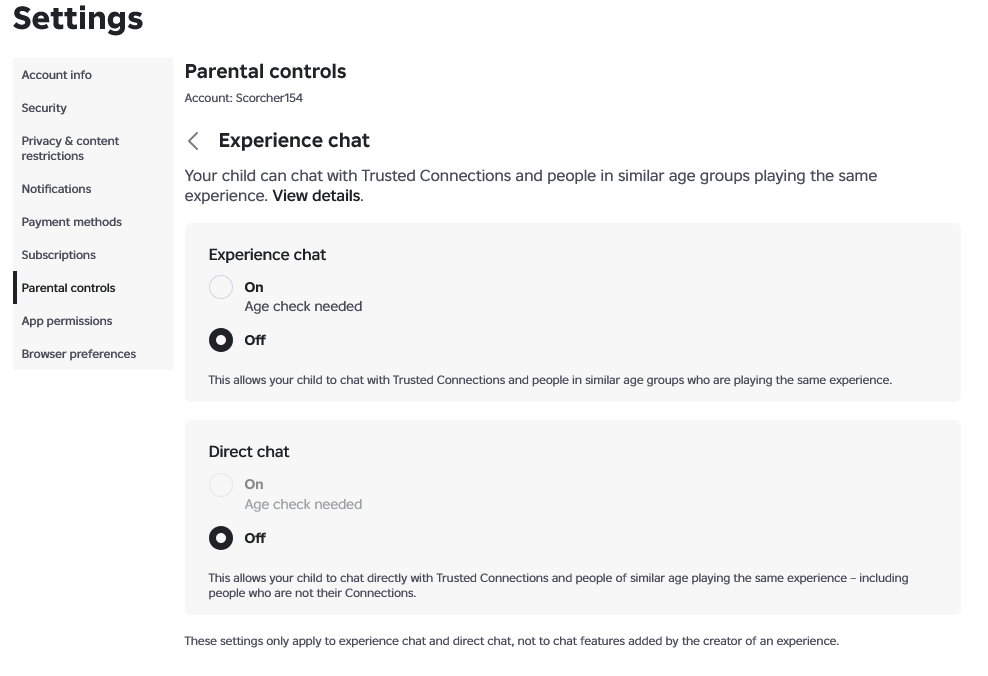
You can also turn chat off entirely through parental controls. For younger or more sensitive kids, this is worth doing.
The Things Worth Actually Being Aware Of
Not to alarm you. Just so you’re going in with clear eyes.
In-app purchases
Roblox uses a virtual currency called Robux.
Kids can become very enthusiastic about spending it, and games are often designed to encourage purchases. Keep payment details out of reach and have a conversation early about what is and isn’t okay to buy.
Content quality varies a lot
Because anyone can create a game on Roblox, some are beautifully made and completely age-appropriate.
Others include mild violence, slightly scary themes, or social dynamics your child might not be ready for. Checking out games yourself, or playing together first, is the simplest way to stay on top of this.
Social interaction still happens
Even with chat restrictions, kids interact through gameplay.
Make sure your child knows the basics: don’t share personal information, and come and tell you if someone is being unkind or acting strangely.
When to Say Yes and When to Wait
Probably fine to say yes if:
- Your child is 8 or 9, or a mature 7-year-old
- You’re willing to set it up properly before they start
- You can keep an eye on what they’re playing, at least at first
- They know they can come to you if something feels off
Worth waiting if:
- Your child is under 7, or you have real concerns about readiness
- Screen time is already a battle in your house
- You don’t have 10 minutes right now to do a proper setup
- They tend to shut down rather than tell you when something upsets them online or offline
If you’re on the fence – waiting is always best. There’s no prize for saying yes early.
A Supervision Approach That Doesn’t Require Constant Hovering
You don’t need to watch every minute.
But a light structure at the start makes a real difference.
- Play alongside them for the first few sessions – even just 20 minutes gives you useful context
- Keep Roblox in shared spaces (lounge room, kitchen) rather than bedrooms to start with
- Check in every week or two with a casual ‘what have you been playing?’
- Make it clear they’ll never be in trouble when they tell you if something felt weird
That’s genuinely enough. The setup does most of the heavy lifting.
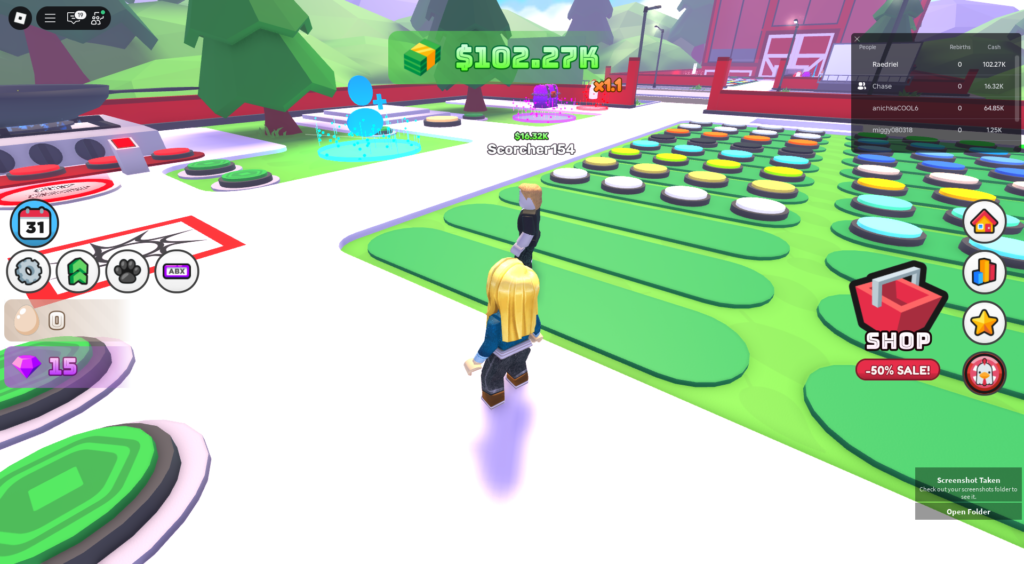
You collect eggs of different patterns and cook them up to make money to then unlock more patterned eggs.
The Bottom Line
Roblox isn’t inherently dangerous for this age group.
But it works best when it’s set up thoughtfully – and when your child knows they can talk to you about it.
The built-in under-13 protections are a genuine help. Adding parental controls takes about 10 minutes. A quick conversation with your child about expectations rounds it out.
Most families find it’s manageable. Not perfect – but manageable.
Ready to get it set up? Here’s the step-by-step guide: How to Set Up a Roblox Parent Account and Link Your Child’s Account
Common Questions
If you’re looking for broader guidance, my Screen Time Reference helps you set clear, realistic boundaries around gaming – without constant battles.